Web Security Guide · Updated 22 October 2026
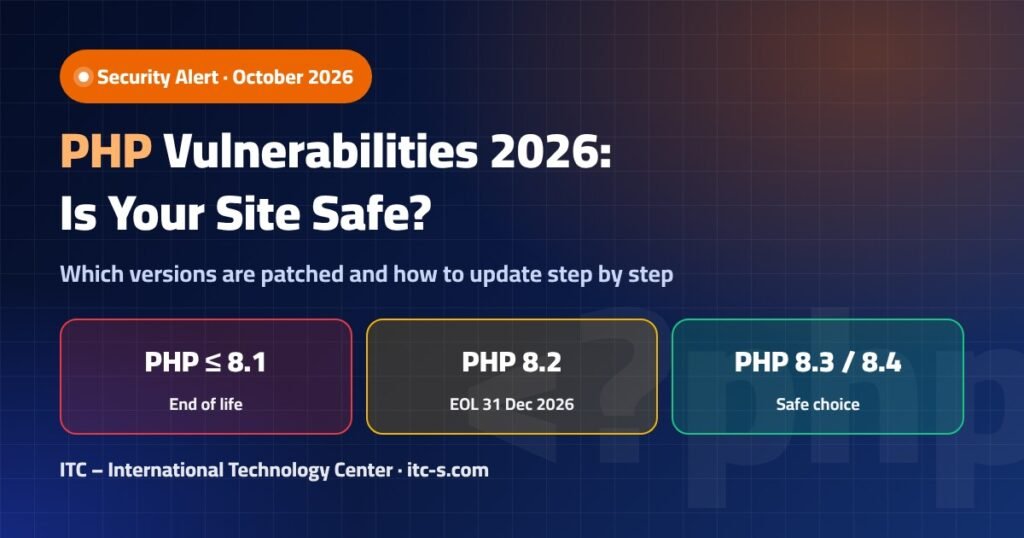
Short answer: the main PHP vulnerability 2026 fixes landed in July. To be safe today, run at least PHP 8.2.33, 8.3.33, 8.4.24 or 8.5.9. Anything on 8.1 or older gets no patches at all, and PHP 8.2 reaches end of life on 31 December 2026, so 8.3 or 8.4 is the sensible target for most sites.
This guide is written for website owners, WordPress administrators and developers who want a clear picture without the noise: which CVEs were published in 2026, which PHP branches are still supported, how to check what your server is really running, and how to update PHP version safely on Hostinger, cPanel, CloudPanel or a plain Ubuntu VPS.
This article is also available in Turkish and Arabic.
What are the PHP vulnerabilities of 2026?
PHP shipped two important rounds of security releases this summer. The first, on 2–3 July 2026, fixed a denial-of-service bug that can take down an entire PHP-FPM pool and a heap overflow in the OpenSSL extension. The second, on 30 July 2026, closed a PostgreSQL SQL injection issue, a Phar denial-of-service, a libgd update and a BCMath memory bug. The French national CERT summarised the first wave in advisory CERTFR-2026-AVI-0843 on 7 July.
None of the public sources we reviewed report these flaws as exploited in the wild. That is good news, but it is not a reason to wait: once a fix is public, the patch itself shows attackers where to look.
| CVE | Severity | Component / impact | Fixed in |
|---|---|---|---|
| CVE-2026-12184 | High (CVSS v4 8.2) | HTTP stream wrapper; a failed TLS setup lets a remote attacker crash the whole PHP-FPM process and all its workers | 8.3.32, 8.4.21, 8.5.6 |
| CVE-2026-14355 | Moderate (CVSS 3.1 5.6) | OpenSSL extension, AES-WRAP-PAD heap overflow (CWE-122) leading to abort / DoS | 8.2.32, 8.3.32, 8.4.23, 8.5.8 |
| CVE-2026-17543 | High | SQL injection in ext-pgsql (pg_insert, pg_update, pg_select, pg_delete) through faulty backslash escaping | 8.2.33, 8.3.33, 8.4.24, 8.5.9 |
| CVE-2026-7260 | — | Phar extension DoS via recursive or circular symlinks in archives | 8.2.33, 8.3.33, 8.4.24, 8.5.9 |
| CVE-2026-9672 | — | Bundled libgd image library upgraded | 8.2.33, 8.3.33, 8.4.24, 8.5.9 |
| CVE-2026-17544 | — | Out-of-bounds write in BCMath bccomp() (8.4 and 8.5 only) |
8.4.24, 8.5.9 |
CVE-2026-12184: the PHP-FPM vulnerability explained
This is the bug most site owners should care about. It lives in php_stream_url_wrap_http_ex, the code behind outgoing HTTP and HTTPS requests made with file_get_contents() and other stream functions. When the TLS handshake fails in a particular way — for example while connecting through a proxy — the process can crash. Because the crash hits the FPM master rather than a single worker, every request on that pool fails until FPM restarts. In practice, your site simply goes offline.
Affected ranges are 8.3.0–8.3.31, 8.4.0–8.4.20 and 8.5.0–8.5.5. WordPress sites are exposed in principle, because plugins and core regularly call external APIs for updates, licence checks, payment gateways and feeds.
Who is affected by the other CVEs?
CVE-2026-14355 matters if your code uses OpenSSL’s AES key-wrap functions; it also affects the dead 7.x and 8.1 branches, which will never get an official fix. CVE-2026-17543 only concerns applications that talk to PostgreSQL through ext-pgsql — a typical MySQL/MariaDB WordPress install is not affected. The Phar, libgd and BCMath fixes are housekeeping you get automatically with the 30 July releases.
Which PHP versions are still supported in 2026?
The table below follows the official php.net support schedule. “Active support” means bug fixes and security fixes; “security only” means critical patches only, no general bug fixes.
| Branch | Status on 22 Oct 2026 | Active support until | Security fixes until |
|---|---|---|---|
| 7.4 and older | End of life | — | 28 Nov 2022 (7.4) |
| 8.0 | End of life | — | Ended |
| 8.1 | End of life | — | 31 Dec 2025 |
| 8.2 | Security only | Ended | 31 Dec 2026 |
| 8.3 | Security only | Ended | 31 Dec 2027 |
| 8.4 | Active | 31 Dec 2026 | 31 Dec 2028 |
| 8.5 (released 20 Nov 2025) | Active | 31 Dec 2027 | 31 Dec 2029 |
| 8.6 | Release candidate (RC3, 6 Oct 2026) | Not stable — do not use in production yet | |
PHP 8.2 end of life: what happens on 31 December 2026?
Nothing breaks on 1 January 2027. Your site keeps working exactly as before. What stops is the flow of security patches: any PHP vulnerability discovered after that date will stay open on 8.2 forever. Hosting providers also tend to hide or remove end-of-life versions over time. If you are on 8.2 today, plan the move to 8.3 or 8.4 now rather than in the last week of December.
Which secure PHP version should you choose?
For most business websites and WordPress installs, PHP 8.3 is the safest balance: it is mature, widely supported by themes and plugins, and covered until the end of 2027. PHP 8.4 is a good choice if your stack is modern and tested, and it buys you security coverage until the end of 2028. PHP 8.5 is fine for new custom projects, while older plugins may still need time to catch up. Avoid 8.6 until it is officially released.
The version number alone is not enough — the patch level matters too. “PHP 8.3” running 8.3.20 is still vulnerable to CVE-2026-12184. Aim for 8.3.33 or newer, or 8.4.24 or newer.
How do you check which PHP version your site runs?
There are three quick ways, and it is worth using at least two of them, because the command line and the web server can run different PHP binaries.
- Command line (SSH): run
php -v. This shows the CLI version, which may differ from the version serving web pages. - phpinfo page: create a temporary file containing
<?php phpinfo();, open it in the browser, read the version at the top, then delete the file immediately. - WordPress: go to Tools → Site Health → Info → Server. The PHP version shown there is the one actually running your site.
On shared and cloud hosting, remember that every website in your account can have its own PHP version. Checking one site tells you nothing about the others.
How do you update PHP version step by step?
Before you touch anything, take a full backup (files and database) and update your plugins, themes and CMS core first, so they are ready for the newer PHP. Then follow the path that matches your hosting.
- Back up and test on a pilot siteCreate a full backup or a staging copy. If you manage several sites, upgrade the least critical one first and watch it for errors before moving on.
- Hostinger hPanelOpen Websites → Manage → Advanced → PHP Configuration, select the new version (8.3 or 8.4) and click Update. The change takes one to two minutes. Hostinger hides old versions from the list but does not change an existing old version automatically. Downgrading is not possible afterwards (except within the same session), and the switch resets PHP extensions to their defaults, so re-enable ionCube or any other extension you rely on.
- cPanel hostingGo to Software → MultiPHP Manager, tick the domain, choose the PHP version from the drop-down and apply. On CloudLinux servers the option is called Select PHP Version, where you can also review loaded extensions.
- VPS with CloudPanelOpen Sites, click Manage on the site, then Settings → PHP Settings → PHP Version, pick the new branch and click Save.
- Plain Ubuntu VPSRefresh packages with
sudo apt update && sudo apt upgrade. Install the target branch, for examplesudo apt install php8.3-fpm php8.3-mysql php8.3-curl php8.3-xml php8.3-mbstring(use the ondrej/php PPA when your release does not ship the branch you need). Point your Nginx or Apache configuration, or your FPM pool, to the new socket. - Restart PHP-FPM and the web serverA patched package does nothing until the old process is replaced. Run, for example,
sudo systemctl restart php8.3-fpmfollowed bysudo systemctl restart nginx(orapache2). In Docker, rebuild and restart the containers. - VerifyConfirm the new version with
php -v, a temporary phpinfo page, or WordPress Site Health. Then browse the key pages: home, contact form, checkout, login and admin area.
What should you do if the site breaks after a PHP upgrade?
Most problems after a WordPress PHP update come from outdated plugins or themes, not from PHP itself. Work through these checks calmly:
- White screen or “critical error”: enable debugging in
wp-config.phpwithdefine('WP_DEBUG', true);anddefine('WP_DEBUG_LOG', true);, then readwp-content/debug.logto find the plugin or theme causing the fatal error. - Missing extension errors: after a version switch on Hostinger, extensions are reset. Re-enable what you need (ionCube, intl, imagick, etc.) in the PHP extensions panel.
- Deprecated warnings flooding the screen: these are not fatal. Turn off on-screen display (
WP_DEBUG_DISPLAYfalse) and update the component that triggers them. - Old plugin with no update: replace it with a maintained alternative. Keeping a whole site on a dead PHP branch for one abandoned plugin is a bad trade.
- Still stuck: restore the backup on staging, fix the incompatible code there, and repeat the upgrade.
How do you harden PHP after updating?
Updating closes known holes. Hardening reduces the damage from the next one. Use this checklist on every site you manage:
- Automatic, off-site backups with at least one copy you have restored successfully.
- Staging tests before every PHP or major plugin update.
- Update plugins, themes and core first, then PHP.
- A web application firewall such as Cloudflare in front of the site to filter malicious traffic.
- Disable unused extensions — if you do not use pgsql, phar or OpenSSL key-wrap functions, fewer modules mean less attack surface.
- Least privilege: separate system users per site, a database user with only the permissions it needs, and no world-writable folders.
- Uptime and log monitoring so a crashed FPM pool is noticed in minutes, not hours.
- Automatic security updates on VPS servers (for example
unattended-upgradeson Ubuntu). - Restart PHP-FPM after every patch so the fixed binary is the one actually serving traffic.
Is WordPress on PHP 7.4 still common?
Yes. WordPress.org statistics from 27 September 2026 show that 16.7% of reporting WordPress sites still run PHP 7.4, a branch that lost security support in November 2022. Those sites receive no fixes for CVE-2026-14355 or anything that comes after it. If yours is one of them, moving straight to 8.3 is usually less work than people expect, provided plugins and the theme are current.
What did we learn from updating 75 sites in one day?
Key takeaways
- The minimum safe versions today are 8.2.33, 8.3.33, 8.4.24 and 8.5.9.
- CVE-2026-12184 can take a whole PHP-FPM pool offline; it is fixed in 8.3.32, 8.4.21 and 8.5.6 and later.
- PHP 8.1 and older are dead; PHP 8.2 end of life is 31 December 2026.
- Target PHP 8.3 or 8.4, back up first, test on a pilot site, and restart PHP-FPM after patching.
- Check every site separately — your host will not upgrade old versions for you.
Need help updating PHP across your sites?
The ITC team audits, upgrades and hardens WordPress and custom PHP sites on shared hosting, cloud plans and VPS servers — with backups and testing first.
Planning a rebuild instead of a patch? See our web design services for fast, secure sites, and our SEO services to make sure the upgrade also helps your rankings. You can also try our free SEO tools, including a URL decoder for non-Latin links.
Frequently asked questions
What is the most serious PHP vulnerability of 2026?
For typical websites, CVE-2026-12184 is the most disruptive. It is rated High (CVSS v4 8.2) and lets a remote attacker crash the entire PHP-FPM process when a TLS setup fails during an outgoing HTTPS request, taking the site offline until FPM restarts.
Which PHP version is safe in October 2026?
PHP 8.2.33, 8.3.33, 8.4.24 and 8.5.9 or newer contain all the fixes released in July 2026. For long-term planning, PHP 8.3 or 8.4 is the recommended branch because 8.2 reaches end of life on 31 December 2026.
When is PHP 8.2 end of life?
PHP 8.2 stops receiving security fixes on 31 December 2026. Sites will keep working after that date, but new vulnerabilities will not be patched on that branch.
Is PHP 8.1 still safe to use?
No. PHP 8.1 reached end of life on 31 December 2025 and gets no security fixes. CVE-2026-14355, for example, affects 8.1 and has no official patch for it.
Does CVE-2026-12184 affect WordPress sites?
It can. The bug sits in PHP’s HTTP stream wrapper, which plugins and WordPress use for outgoing requests. Any site on 8.3.0–8.3.31, 8.4.0–8.4.20 or 8.5.0–8.5.5 should update to a fixed release.
How do I update PHP on Hostinger?
In hPanel go to Websites → Manage → Advanced → PHP Configuration, choose the new version and click Update. It takes one to two minutes. Afterwards, re-enable any extensions you need, because the switch resets them to default.
Will my host upgrade PHP automatically?
Usually not. Hostinger, for example, hides old versions from the selection list but does not change a version that is already set on your site. You need to check and change each website yourself.
Do I need to restart anything after patching PHP?
Yes. Restart PHP-FPM and the web server (or rebuild containers) so the patched binary is loaded. Then confirm with php -v, a phpinfo page or WordPress Site Health.
My Ubuntu server shows an older PHP number. Is it vulnerable?
Not necessarily. Ubuntu and RHEL-family distributions backport security fixes into their own packages, so the version string can look older than php.net’s. Check the vendor advisory, such as Ubuntu USN-8564-1, to confirm.
Should I upgrade straight to PHP 8.5?
Only if your theme, plugins and custom code are tested on it. PHP 8.5 is supported until the end of 2029, but for most WordPress sites PHP 8.3 or 8.4 is the lower-risk step today.
Sources
- PHP.net — Supported Versions
- NVD — CVE-2026-14355
- oss-security — PHP security releases, 30 July 2026
- Ubuntu Security Notice USN-8564-1
- Pantheon — PHP 8.2–8.5 security updates
- CraftedSignal — July 2026 PHP vulnerabilities brief
- Hostinger — How to change the PHP version
- Zend — PHP Security Center
Written by the ITC – International Technology Center team. Last updated 22 October 2026.